Rooting an Android device gives you more control, but it often breaks Google Play Integrity checks. This can block apps like Google Wallet, Netflix, or banking apps. The Integrity Box Magisk module was created to solve this problem.
In this blog, you’ll learn what Integrity Box is, its features, how to install it, and how to use it effectively.
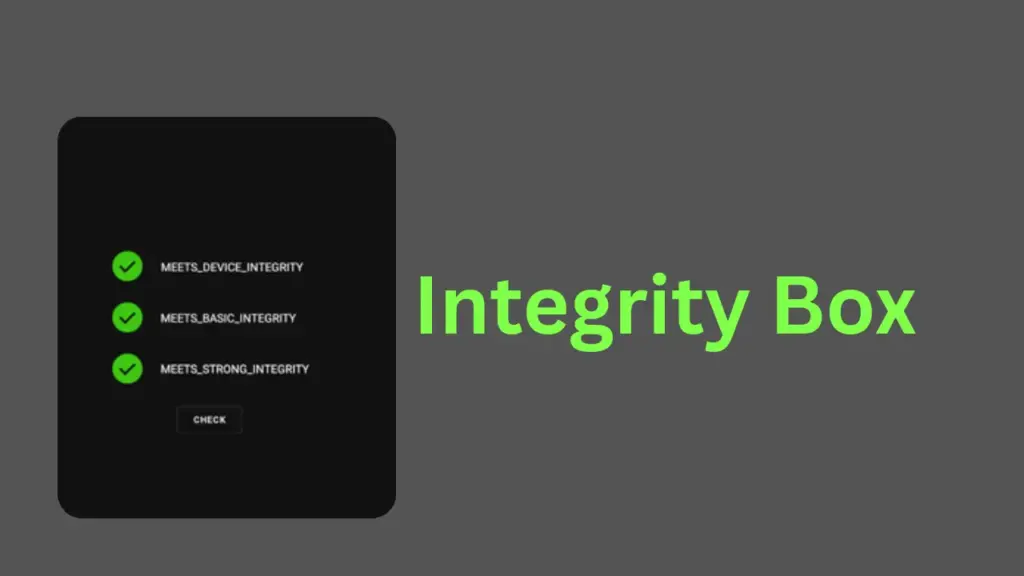
Table of Contents
What is Integrity Box?
Integrity Box is a Magisk/KernelSU module that helps rooted devices bypass Google Play Integrity checks. It works by managing system properties, hiding root traces, and spoofing device information so that apps see your phone as “certified.”
Requirements
- Rooted Android device (Magisk or KernelSU installed)
- Android 6.0 or higher
- Zygisk enabled (for Magisk users)
- Latest Integrity Box module file
Features of Integrity Box
- Passes Google Play Integrity API checks
- Fixes “Device not certified” errors in Play Store
- Restores access to Google Wallet, banking apps, and streaming apps
- Includes PlayIntegrityFork, Tricky-Store, Tricky-Addon, Zygisk-Next support
- Lightweight and regularly updated
Why Use Integrity Box?
Rooting often blocks apps that rely on Play Integrity. Integrity Box helps you:
- Use Google Wallet for payments
- Access banking apps without detection
- Watch streaming services like Netflix or Disney+
- Keep your device looking “certified” to Google
Download Integrity Box
You can find the latest Integrity Box release on its official GitHub repository. Download the .zip file to your device before installation.
Installing Integrity Box
- Ensure your device is rooted with Magisk or KernelSU.
- Open Magisk Manager.
- Go to the Modules section.
- Tap Install from storage and select the Integrity Box
.zipfile. - Wait for installation to finish.
- Reboot your device to activate the module.
How to Use Integrity Box
- After reboot, Integrity Box runs automatically.
- Open Play Store and check Device Certification under settings. It should now show “Certified.”
- Test apps like Google Wallet or banking apps to confirm they work.
Troubleshoot Tips
- If Play Store still shows “Not Certified,” clear Play Store data and reboot.
- Ensure Zygisk is enabled in Magisk settings.
- Reinstall Integrity Box if installation fails.
- Update to the latest version for bug fixes.
Passing Play Integrity
Integrity Box helps bypass Basic Integrity, Device Integrity, and Strong Integrity checks. This ensures apps relying on Google’s security system run smoothly on rooted devices.
Credit
Integrity Box is developed and maintained by MeowDump and contributors on GitHub.
Read this: How to Pass Integrity (With Strong) Check on Rooted Devices
FAQs
Yes, as long as your device runs Android 6.0+ and has Magisk/KernelSU.
Yes, it only modifies system properties to pass integrity checks.
No, Integrity Box works automatically after installation.
Ending
Integrity Box is a powerful tool for rooted Android users who want to keep full access to apps without losing functionality. By installing this module, you can bypass Google Play Integrity checks, fix certification issues, and enjoy a seamless experience with apps that usually block rooted devices.
