Google constantly tests new features inside popular Android apps like YouTube, Gboard, Google Photos, and the Play Store long before releasing them to the public. These experimental settings are managed behind the scenes using internal feature flags known as Phenotype flags.
In this complete guide, you will learn everything about GMS Flags Reborn, a powerful Android root and Xposed tool designed to give you direct control over these hidden settings. We will cover what the app is, its key features, system requirements, step-by-step instructions on how to download, install, and use it, troubleshooting tips, and answers to common questions.
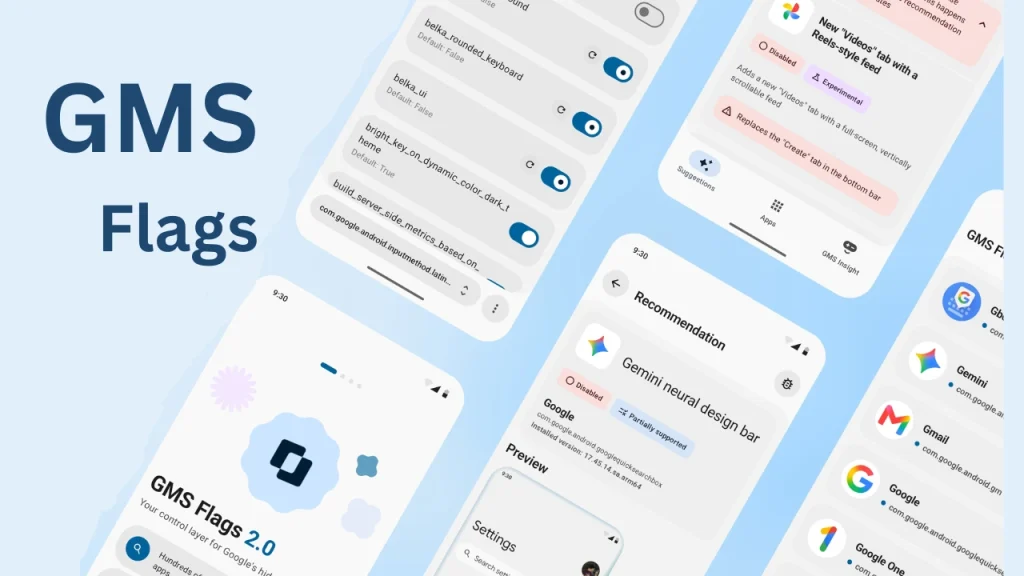
Table of Contents
What is GMS Flags Reborn?
GMS Flags Reborn, also known as GMS Flags 2.0, is an open-source Android application created by developer Danyil Kobzar (polodarb). It serves as the official sequel to the original GMS Flags app released in 2023.
Google uses server-side flags to remotely enable or disable features, run A/B tests, and roll out updates gradually. While the original version of GMS Flags relied solely on root shell commands to modify these values, changes made by Google to its underlying database schema broke that older method.
GMS Flags Reborn solves this problem by combining standard root permissions with an Xposed and LSPosed framework hooking layer. This allows the app to read and modify Phenotype flags directly inside memory, enabling users to toggle experimental options, turn off annoying interface updates, or test unreleased features on their devices.
Features of GMS Flags Reborn
GMS Flags Reborn comes packed with modern features designed to make tinkering with Google apps easier and safer:
- Comprehensive Flag Browser: Search and inspect Phenotype flags across 46 supported Google apps, organized clearly by package name.
- Flexible Value Overrides: Edit boolean, integer, float, and string flag types individually or perform bulk modifications.
- Curated Recommendation Presets: Apply tested flag combinations with a single tap to unlock specific hidden features. The app includes an honest status check that tells you if a recommendation will work on your exact app version.
- Signed Micro-Hooks (Needle): For features that require deeper code modifications beyond basic flag toggles, the app uses signed micro-hooks verified cryptographically with ECDSA P-256 signatures before installation.
- Import and Export Capabilities: Save your custom flag configurations into .gmsflags files to back them up or share them across devices.
- Hook Status Dashboard: Easily view which Google apps are currently hooked by the LSPosed module and troubleshoot attachment status.
- Privacy-Friendly Analytics: Opt-in analytics only log basic flag types to improve recommendation accuracy, while sensitive string values containing user tokens or email addresses remain strictly on your device.
Requirements
Before installing GMS Flags Reborn, ensure your device meets the following prerequisites:
- Android Operating System: Android 10 (API level 29) or newer.
- Root Access: A rooted Android device running Magisk, KernelSU, APatch, or a compatible root solution.
- Xposed Framework: LSPosed framework installed and operational. Unlike the older 1.0 release, GMS Flags Reborn requires LSPosed to function properly.
How to Download GMS Flags Reborn
To safely obtain GMS Flags Reborn, follow these steps:
- Navigate to the official GitHub repository releases section for polodarb GMS-Flags-Reborn.
- Locate the latest stable release (such as v1.0.0 or newer).
- Download the prebuilt APK file directly to your phone storage.
Always download the file directly from the official GitHub project page to ensure you get authentic, untampered code.
How to Install GMS Flags Reborn
Installing GMS Flags Reborn requires enabling both root permissions and the LSPosed module.
- Locate the downloaded APK file in your device file manager and install it.
- Open your Xposed manager application (such as LSPosed).
- Go to the Modules tab and locate GMS Flags Reborn.
- Enable the module toggle switch.
- Ensure the recommended target scope (system framework and target Google applications) is selected.
- Reboot your device or perform a soft restart to activate the module hooks.
- Launch GMS Flags Reborn from your app drawer and grant superuser root access when prompted.
How to Use GMS Flags Reborn
Once installed, navigating and modifying flags is straightforward:
- Verify Module Status: Open GMS Flags Reborn and check the Hook Status dashboard to confirm that LSPosed is active and attached.
- Select an Application: Choose from the list of 46 supported Google apps, such as Google Photos, Gboard, or Google Play Store.
- Explore or Search Flags: Use the search bar to locate specific feature flags, or head over to the Recommendations section to browse pre-configured feature unlocks.
- Apply Overrides: Toggle the desired boolean values or edit numerical and text entries. Tap apply to save your adjustments.
- Force Stop Target App: For changes to take effect, force stop the target Google app 1 to 3 times from your Android system settings so it reloads its configuration from scratch.
Credits and License
GMS Flags Reborn is an independent open-source project created and maintained by developer Danyil Kobzar (polodarb).
The software is distributed under the Apache License 2.0, allowing users to inspect, modify, and build upon the source code freely. The project operates independently and is not affiliated with, endorsed by, or sponsored by Google LLC.
Troubleshooting Common Issues
If you encounter problems while using GMS Flags Reborn, consider these solutions:
- Flags Not Applying: Google apps cache configuration settings heavily. Force stop the modified app 2 to 3 times in Android Settings. If the change still does not appear, clear the app cache or wait up to 24 hours.
- Inactive Hook Status: Ensure that LSPosed is properly installed, the GMS Flags Reborn module is enabled inside LSPosed settings, and your phone has been restarted.
- App Instability or Glitches: If turning on a flag causes an app to crash, re-open GMS Flags Reborn, locate the modified flag, and tap the reset or undo option to restore default behavior.
- Database Errors: If multiple flags cause issues, use the app settings menu to reset all active flag overrides at once.
FAQs
Yes. Root access is required because the app needs permission to access restricted system directories and database files.
Google updated the internal Phenotype database structures, making shell commands ineffective. LSPosed allows GMS Flags Reborn to hook directly into live app processes to apply flag overrides reliably.
No, changing flags will not permanently harm your phone. Most flags are completely harmless. At worst, an unstable flag might cause a target app to close unexpectedly, which can easily be fixed by reverting the flag.
In most cases, user-defined flag overrides remain active even after updating target apps through the Google Play Store, unless Google restructures or removes that specific flag entirely.
Conclusion
GMS Flags Reborn is an exceptional tool for Android enthusiasts who want early access to experimental features across Google app suite. By combining root capabilities with LSPosed process hooking, it delivers a reliable way to discover and customize hidden functionality on your smartphone.
Have you tried enabling any hidden features with GMS Flags Reborn yet? If you have questions or run into any issues during setup, please leave a comment below!