Subscribe
Please login to subscribe.
- This topic has 1 reply, 1 voice, and was last updated 1 year, 2 months ago by
 Bishal Pokhrel.

Viewing 2 posts - 1 through 2 (of 2 total)
- AuthorPosts
 Kanstana YipParticipant
Why can’t all SIM cards send SMS using UMB codes in custom ROMs? Is there a way to fix this?
Bishal PokhrelKeymasterThe SMSC number (needed for SMS/UMB codes) or carrier settings might not be properly applied when your SIM is detected by the custom ROM, due to how it handles carrier configs.

Fix It:
- Manually Check SMSC: Open Messages app > Messages settings > Advanced > SMSC. Verify/update with your carrier’s SMSC number (call your carrier or check their website).
- Verify APN: Go to Settings > Mobile Network > Access Point Names. Ensure APN matches your carrier’s settings (check their site or support).
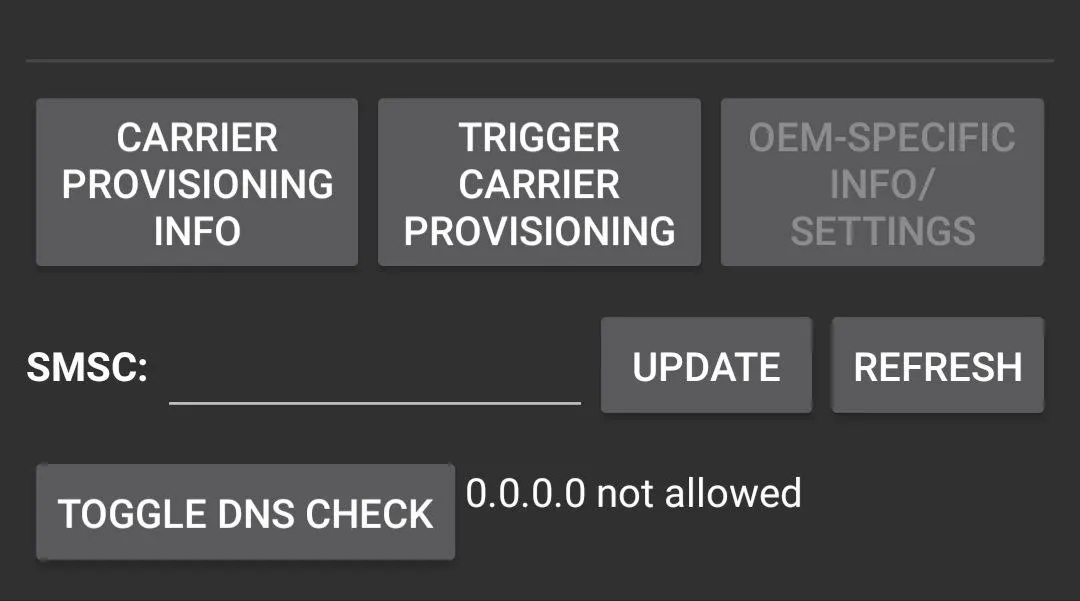
- Alternative USSD Access: Open Google Dialer, dial *#*#4636#*#*, and you’ll see a Testing menu with options like Phone Information, Usage Statistics, and WiFi Information. Tap Phone Information. Scroll to the SMSC field to check the number. If it’s wrong or blank, enter your carrier’s SMSC number, then tap Update or Refresh to save. (Ignore options like Mobile Radio Power or Enable DSDS at Boot unless your carrier advises otherwise.) Test with a UMB code (e.g., *123#).
- Fallback: If it’s still not working, try another custom ROM known to support your carrier or revert to stock Samsung ROM.
If you’re still having trouble, share your device model and ROM details, and I’ll help you figure it out! Good luck!
- AuthorPosts


Viewing 2 posts - 1 through 2 (of 2 total)
- You must be logged in to reply to this topic.