If you frequently download and manage Android applications from outside the official Google Play Store, tracking updates and manually installing files across different repositories can become tedious. B-SideLoader is an open-source Android tool designed to simplify how you search, download, install, and update APK files.
In this blog post, we will cover everything you need to know about B-SideLoader. You will learn what the app does, its main features, system requirements, download and installation instructions, step-by-step usage guide, troubleshooting tips, and answers to common questions.
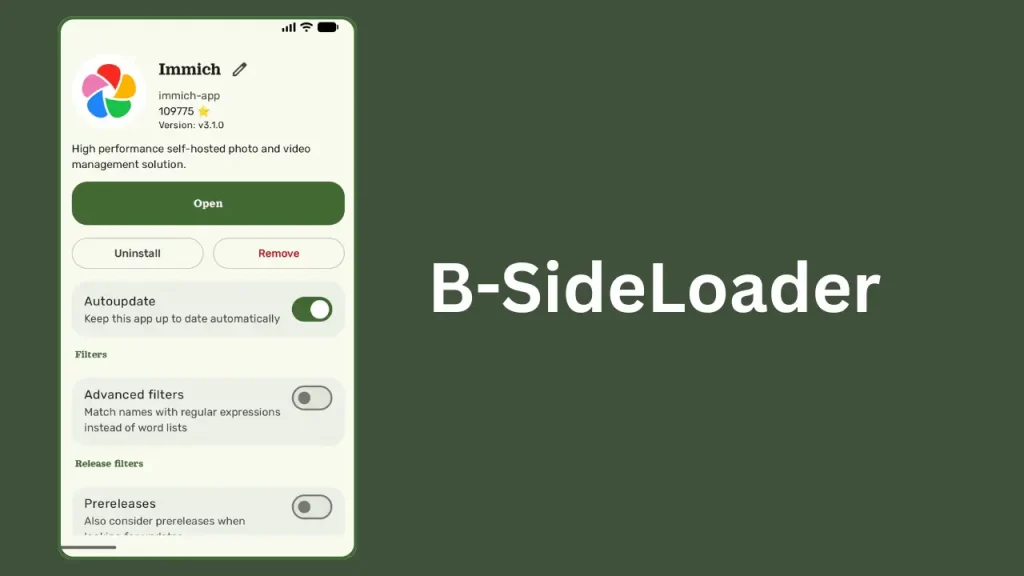
Table of Contents
What is B-SideLoader?
B-SideLoader is a modern, open-source Android utility created by developer re7gog. It acts as a centralized APK sideloader and app manager that connects directly to online platforms such as GitHub repositories and Telegram channels.
Instead of manually checking web pages for app releases, downloading APK files to your local storage, and opening package installers yourself, B-SideLoader automates the workflow. It aggregates app sources, provides integrated search across channels, and delivers automatic background updates while keeping user data private.
Features of B-SideLoader
B-SideLoader comes equipped with several modern features tailored for Android power users and enthusiasts:
- GitHub and Telegram Integration: Streamline app downloads directly from public GitHub repositories and Telegram channels.
- Automatic App Updates: Keep your sideloaded applications up to date with automated version checks and background installation.
- Unified Search Engine: Search across all added GitHub and Telegram sources simultaneously from a single search bar.
- Privileged Installation Support: Integrates with tools such as Shizuku (in ADB or Root mode), Dhizuku, and Sui to perform silent background installations without prompting manual confirmation dialogs.
- Foreground Service Installer: Offers standard foreground service installation for unrooted devices that do not use ADB privileges.
- Data Encryption: Secures private preferences and local configuration data directly on your device using internal encryption.
- Modern Codebase: Developed using Kotlin, Jetpack Compose, MVVM architecture, Room database for local application tracking, and Retrofit 3.0 for API requests.
Requirements for B-SideLoader
Before installing B-SideLoader, ensure your Android device meets the following basic requirements:
- Operating System: Android 8.0 (Oreo) or higher.
- Hardware Architecture: Device supporting the arm64-v8a processor architecture.
- Permissions: Permission to install apps from unknown sources.
- Internet Connection: Active network connection to fetch GitHub release data and Telegram channel updates.
- Optional Frameworks: Shizuku, Dhizuku, or Sui running on your device if you want silent, hands-free background installations.
Download B-SideLoader
To ensure you download a safe and unmodified version of the app, always obtain B-SideLoader from official project channels.
You can download the latest official APK release by visiting the project releases page at https://github.com/re7gog/B-SideLoader/releases .
How to Install B-SideLoader
Follow these simple steps to install B-SideLoader on your Android device:
- Enable Unknown Sources: Open your device Settings, navigate to Security or Apps, locate your browser or file manager app, and enable “Allow from this source.”
- Download the APK: Download the latest release APK file from above download section.
- Open the File: Open your file manager or browser downloads folder and tap on the downloaded file.
- Confirm Installation: Select “Install” when the Android package manager prompt appears.
- Grant Permissions: Launch B-SideLoader from your app drawer and grant the requested storage, notification, and installer permissions.
How to Use B-SideLoader
Using B-SideLoader to discover, install, and update Android applications requires only a few steps:
- Select an Installation Engine: Open the app settings and choose your preferred installation mode (Shizuku, Dhizuku, Sui, or Foreground Service). If using Shizuku, verify that the Shizuku service is running beforehand.
- Search for Applications: Use the built-in search bar to find open-source applications hosted on GitHub or shared in supported Telegram channels.
- Add Repositories: Add repository URLs or channel details for the applications you wish to monitor for future updates.
- Download and Install: Select your desired application entry, choose a release version, and tap Download. The app will fetch the APK and execute the installation.
- Manage Updates: Check the updates tab regularly or allow background tasks to automatically detect and install new app versions.
Credits
B-SideLoader is developed and maintained by re7gog.
Troubleshooting Common Issues
If you run into issues while setup or usage, consider these troubleshooting solutions:
- Installation Blocked by Android: Navigate to Android Settings > Apps > B-SideLoader > Install Unknown Apps, and verify that the setting is toggled on.
- Shizuku Installation Fails: Verify that the Shizuku app is active. If your device recently restarted, re-authorize Shizuku via Wireless ADB or a PC command.
- Failed to Fetch Releases: Ensure your device has an active internet connection. If you run multiple searches quickly, you may briefly encounter GitHub API rate limits; wait a few minutes and try again.
- App Parsing Error: Check that your device is running Android 8.0 or newer and utilizes an arm64-v8a processor. Redownload the APK file if your initial download was incomplete.
FAQs
Yes, B-SideLoader is completely free and open-source. You can review, modify, or audit the code at GitHub.
No, root access is not required. B-SideLoader works without root using standard foreground service installation or non-root wireless ADB setups via Shizuku.
When paired with privileged environment tools like Shizuku, Dhizuku, or Sui, B-SideLoader can process APK updates quietly in the background without prompting manual confirm dialogs for every package.
Yes, B-SideLoader encrypts stored preference data and private credentials locally on your device.
Conclusion
B-SideLoader is an effective utility for Android users who regularly download software from GitHub and Telegram. Combining unified cross-source searching, encrypted storage, and seamless background updates via Shizuku, it offers an efficient alternative to traditional manual sideloading.
What are your thoughts on B-SideLoader, and what features do you find most useful? Please leave a comment below to share your experience or ask any questions!