Android customization has come a long way, but Android’s built-in Material You design can sometimes feel restrictive. If you have ever wanted deeper control over your phone’s color scheme beyond the limited accent palettes provided by default settings, you are in the right place.
In this blog post, you will learn everything you need to know about ColorBlendr, a powerful open-source customization app for Android. We will explore what ColorBlendr is, break down its core features, detail the system requirements, and walk you through how to download, install, and use the application. Additionally, we will cover developer credits, troubleshooting solutions for common issues, and answer frequently asked questions to help you get the most out of your device customization.
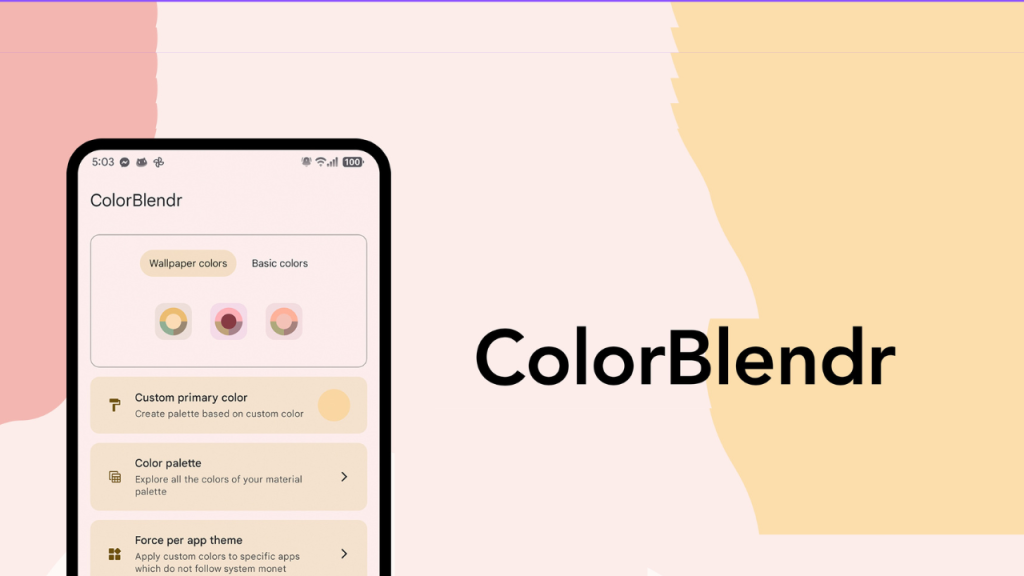
Table of Contents
What is ColorBlendr?
ColorBlendr is an open-source Android application created by developer Mahmud0808 (also known in the community as DrDisagree). Designed specifically for devices running Android 12 and higher, ColorBlendr lets users take full control of the Android Material You (Monet) dynamic color engine.
By default, modern Android systems extract a small palette of colors from your desktop wallpaper and apply those accents across system menus, quick settings, and supported apps. ColorBlendr expands this functionality dramatically. It allows you to adjust background lightness, change accent color saturation, apply pitch-black dark themes, pick custom hex seed colors, and override individual shades across the entire system. Best of all, it achieves these modifications through modern Android APIs like Shizuku and Wireless ADB, meaning root access is entirely optional.
Features of ColorBlendr
ColorBlendr offers a comprehensive list of tools designed to transform how your Android device looks and feels:
- Flexible Color Sources: Generate dynamic palettes directly from your current wallpaper, select any custom seed color using hex codes, or choose from standard base colors.
- Live Theme Preview: Test color adjustments, saturation tweaks, and contrast modifications live inside the app before applying them system-wide.
- Fine-Tuned Slider Controls: Adjust accent saturation, background saturation, and background lightness independently using smooth slider controls ranging from subtle tones to hyper-vivid hues.
- Monet Style Presets: Choose from built-in Monet style algorithms, including Tonal Spot, Expressive, Vibrant, Monochromatic, Rainbow, Fruit Salad, Spritz, Fidelity, Content, CMF, and modern Color Spec presets.
- Pitch Black Theme: Force true pitch-black backgrounds for dark mode, perfect for OLED screens to save battery and increase visual contrast.
- Manual Shade Overriding: Fine-tune individual color shades across light and dark modes to craft customized, multi-toned themes.
- Community Theme Gallery: Browse, search, upvote, and publish custom color palettes created by other users anonymously inside the app.
- Pixel Launcher & Icon Enhancements: Apply darker monochrome icons and semi-transparent launcher background styling on compatible setups.
- Automation Support: Integrate seamlessly with automation apps like Tasker, MacroDroid, or Automate to switch themes automatically based on schedules or triggers.
- Screen-Off Updates: Option to hold color changes in the background and apply them only when your screen turns off, eliminating visual flickering during theme switches.
System Requirements
Before downloading ColorBlendr, make sure your mobile device meets the following system requirements:
- Operating System: Android 12.0 or higher (Android 12, 13, 14, 15, and above).
- Environment: Working Root access, Shizuku service, or Wireless ADB configuration.
- ROM Compatibility: Devices running standard AOSP-based software, Google Pixel ROMs, or custom Android ROMs with native Material You support yield the best results.
- Hardware Architecture: Compatible with arm64-v8a, armeabi-v7a, x86, and x86_64 devices, including smartphones, tablets, and foldables.
How to Download ColorBlendr
To download ColorBlendr safely, follow these instructions:
- Open your web browser or open-source package manager on your Android device.
- Search for the official ColorBlendr repository hosted under the developer profile Mahmud0808 on GitHub, or search for ColorBlendr on open-source app repositories like F-Droid or IzzyOnDroid.
- Locate the latest stable release package.
- Download the latest compiled APK file to your device’s local storage folder.
How to Install ColorBlendr
Installing ColorBlendr takes only a few simple steps:
- Open your Android device Settings menu and navigate to Privacy or Security settings.
- Enable the permission to install unknown apps or install from unknown sources for your file manager or browser.
- Open your File Manager app and locate the downloaded ColorBlendr APK file.
- Tap the APK file and press Install when prompted by the system installer.
- Once installation finishes, tap Open to launch the application.
- Grant the necessary permissions requested by the app, such as storage access for wallpaper color extraction.
How to Use ColorBlendr
Getting started with ColorBlendr is straightforward regardless of whether your device is rooted or non-rooted:
- Select Your Working Mode: Upon opening the app, choose your active environment mode between Root, Shizuku, or Wireless ADB. If using Shizuku, ensure the Shizuku background service is already running on your phone.
- Choose a Palette Source: Select whether you want colors generated automatically from your current wallpaper, or choose a custom seed color to build your theme from scratch.
- Adjust Saturation and Lightness: Use the built-in sliders to modify accent saturation, background saturation, and background lightness to match your personal preference.
- Select a Monet Preset: Browse through Monet style presets like Expressive, Monochromatic, or Tonal Spot to alter how color accents blend together.
- Enable Extra Tweak Options: Toggle optional settings such as Pitch Black dark theme, custom text tinting, or launcher icon modifications.
- Preview and Apply: Review your theme changes using the live preview window. When you are satisfied with the look, tap Apply to transform your system theme instantly.
Credits
ColorBlendr is developed and maintained by open-source developer Mahmud0808 (DrDisagree). The app is distributed under the GNU General Public License v3.0 (GPL-3.0), promoting free and open software development.
Special recognition also goes to the global translation contributors on the Crowdin platform who help translate ColorBlendr into dozens of languages, as well as the open-source community members who create and share themes in the built-in gallery.
Troubleshooting
If you run into issues while using ColorBlendr, try these quick solutions:
- Colors not changing on Samsung OneUI: Samsung OneUI uses its own proprietary color system for native stock apps rather than standard Material You Monet engine colors. ColorBlendr modifications on OneUI devices will apply to Google applications and third-party apps supporting Material You, but stock OneUI system apps will remain unchanged.
- Shizuku or Wireless ADB Mode disconnects: If permissions reset after a reboot, reopen your Shizuku management app or re-pair Wireless ADB via your local Wi-Fi settings to restore app control.
- Certain options are grayed out: Some features, such as single-tap theme application from the community gallery or deep system launcher overlays, require full Root permissions or specific Android version support.
- Screen flickering when switching themes: Enable the “Update colors when screen off” setting inside ColorBlendr settings. This defers system theme reloads until the display goes to sleep.
FAQs
No. ColorBlendr works without root access by utilizing Shizuku or Wireless ADB commands to update Material You configuration settings. However, root access unlocks additional advanced features like instant overlay generation.
Yes, ColorBlendr is completely free, open-source software under the GPL-3.0 license. It does not contain ads, trackers, or hidden telemetry, and all community theme submissions are submitted anonymously without requiring account creation.
No. ColorBlendr changes dynamic software theme values and runtime overlay configurations. It does not modify system partition files permanently, and you can reset your device colors back to default at any time.
Yes. ColorBlendr supports Tasker integration. By sending broadcast intents through Tasker, MacroDroid, or Automate, you can schedule random seed colors or custom Monet styles to apply automatically based on time, battery level, or triggers.
Conclusion
ColorBlendr is an exceptional tool for anyone looking to unlock the full potential of Android Material You design. Whether you want subtle pastel accents, vibrant high-contrast colors, or a battery-saving pitch-black dark mode, this app provides the flexibility and control you need without forcing you to root your device.
Have you tried customizing your phone with ColorBlendr yet? What are your favorite color combinations or Monet presets? Please leave a comment below and share your thoughts or questions with us!