If you want to track your Android device’s hardware performance without slowing down your system, you need an efficient monitoring tool. Many system monitoring applications run heavy background processes that consume CPU cycles and drain your battery while trying to read system statistics. That is where RvSystem Monitor comes into play.
In this full guide, you will learn everything you need to know about RvSystem Monitor. We will explore what this app is, its key features, technical requirements, how to download and install it, step-by-step usage instructions, project credits, troubleshooting tips, and answers to frequently asked questions.
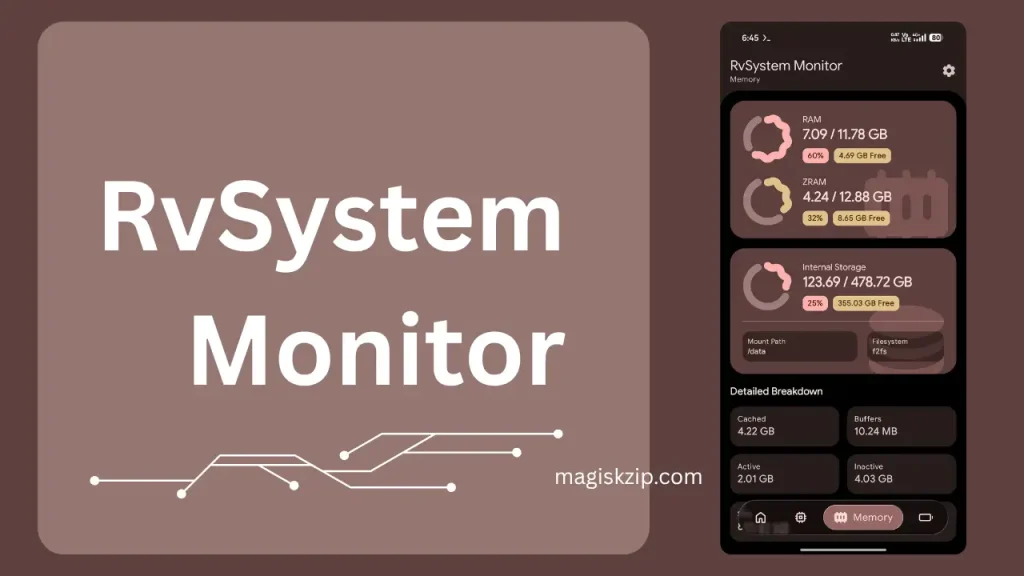
Table of Contents
What is RvSystem Monitor?
RvSystem Monitor is an open-source, high-performance system monitoring app designed for Android devices. Created by developer Radika (known as Rve27 on GitHub), this application gives users deep hardware insights in real time while keeping resource usage minimal.
What makes RvSystem Monitor unique is its modern hybrid tech stack. The user interface is built using Kotlin and Jetpack Compose with Material 3 Expressive guidelines, offering sleek visual transitions and responsive layouts. Underneath the interface, the intensive data processing is handled by a Rust backend. By using Rust to parse Linux kernel files such as proc and sys directly through a Java Native Interface (JNI) bridge, the app minimizes system overhead and battery drain compared to traditional Android diagnostic tools.
Features of RvSystem Monitor
RvSystem Monitor provides a well-rounded set of tools for system enthusiasts, developers, and everyday users:
- Real-Time CPU Monitoring: Tracks individual core speeds, clock frequencies, and cluster performance without lagging your phone.
- GPU and Display Capabilities: Displays graphics processor information, driver details, OpenGL ES limits, and texture unit limits.
- RAM and Memory Tracking: Displays live memory consumption, swap space status, and total available RAM.
- Battery and Thermal Diagnostics: Keeps track of battery health, current voltage, charging performance, and device temperature readings.
- Low CPU and Battery Overhead: Uses batch data reading in Rust to drastically reduce context switching between native code and the Java Virtual Machine.
- Modern Material 3 UI: Built with adaptive layouts, dynamic colors, smooth UI transitions, and multi-language support.
- Dual Release Options: Available as a GitHub build with an auto-updater feature or an F-Droid compatible variant.
Requirements
Before downloading or compiling RvSystem Monitor, make sure you meet the following system prerequisites.
For General Android Users:
- An Android device running Android 14 (API Level 34) or higher for optimal feature compatibility.
- Minimal free internal storage (the APK file size is small and lightweight).
For Developers Building from Source:
- Android Studio Ladybug (2024.2.1) or newer.
- Rust Toolchain (Edition 2024 with version 1.85 or newer recommended).
- Android build targets added via command line: aarch64-linux-android and armv7-linux-androideabi.
- Android NDK (Version 30 configured in your build setup).
- cargo-ndk tool installed on your system.
Download
RvSystem Monitor is available through official open-source distribution sources:
- GitHub Releases: Get the compiled APK files directly from the official RvSystem Monitor Releases Page.
How to Install RvSystem Monitor
You can install RvSystem Monitor using either the pre-compiled APK file or by building it yourself from source code.
Method 1: Installing via APK File
- Open your mobile browser and visit the RvSystem Monitor Releases Page.
- Download the latest APK file (such as the GitHub release variant).
- Open your download folder or tap the completed download notification.
- Allow installation from unknown sources in your Android security settings if prompted.
- Tap Install and open the app once completed.
Method 2: Building from Source Code
- Clone the project repository to your local computer:
git clone https://github.com/Rve27/RvSystem-Monitor.git - Navigate into the project folder:
cd RvSystem-Monitor - Build the native Rust shared libraries:
./gradlew :app:buildRustLibraries - Generate the APK file:
For the GitHub release build: ./gradlew assembleGithubRelease
For the F-Droid build: ./gradlew assembleFdroidRelease - Install it onto your connected Android device:
./gradlew installGithubDebug
How to Use RvSystem Monitor
Using RvSystem Monitor is straightforward thanks to its intuitive navigation system:
- Open the App: Tap the RvSystem Monitor icon from your app drawer.
- Review the Main Dashboard: The primary dashboard gives you an immediate view of your device model, total CPU load, and active RAM usage.
- Browse Hardware Sections: Tap through the navigation tabs to view specialized screens for CPU cores, GPU capabilities, memory status, and battery thermals.
- Adjust Settings: Access the settings screen to change app language settings, customize theme preferences, or check for application updates.
Credit and Licensing
RvSystem Monitor is created and maintained by developer Radika (Rve27). The app is published under the GNU General Public License v3.0 (GPL-3.0), ensuring it remains free and open-source software for the community.
Key technologies powering the project include:
- Kotlin and Jetpack Compose for the user interface.
- Rust and jni-rs for high-speed low-level kernel parsing.
- Material 3 Expressive components for modern visual design.
- Dependency injection via Hilt, along with OkHttp, Retrofit, Coil, and Jetpack DataStore.
If you find this tool useful, consider giving the repository a star on the RvSystem Monitor GitHub Page or supporting the creator on Ko-fi.
Troubleshooting Common Issues
If you encounter issues while setting up or using the app, try these solutions:
Issue 1: APK Installation Blocked
- Cause: Android security settings preventing installations outside Google Play.
- Solution: Enable “Install Unknown Apps” for your file manager or browser app in your phone settings.
Issue 2: Native Build Error in Android Studio
- Cause: Missing Android NDK version 30 or missing Rust target toolchains.
- Solution: Run “rustup target add aarch64-linux-android armv7-linux-androideabi” in your terminal and verify NDK setup in Android Studio.
Issue 3: Data Readings Not Updating
- Cause: Restricted permissions on select custom Android ROMs.
- Solution: Ensure your device firmware permits applications to read basic proc and sys system paths.
FAQs
No, RvSystem Monitor works without root permissions. It reads standard user-accessible system diagnostic files supplied by the Android kernel.
The GitHub version includes an automatic update checker. The F-Droid build removes network update checks to comply with privacy guidelines.
Yes, it is completely free and open-source software with no hidden costs or advertisements.
No. Because the backend is built in Rust and uses batched data calls, CPU activity remains low during live monitoring.
Conclusion
RvSystem Monitor is an impressive system diagnostic tool for Android users who value both performance and good design. By pairing Jetpack Compose with Rust, it delivers deep hardware information without causing system lag or heavy battery drain. Whether you are checking processor speeds, reviewing graphics capabilities, or tracking battery health, this app gives you everything you need in a clean, modern package.
What do you think about using Rust for Android system monitoring tools? Have you tried RvSystem Monitor on your device yet? Please leave a comment below to share your thoughts, feedback, or questions!