In this complete guide, we take an in-depth look at Smart Island, an innovative open-source application designed for Android devices.
You will learn what Smart Island is, explore its key features, check system requirements, and follow a simple step-by-step guide to download, install, and configure the app on your smartphone.
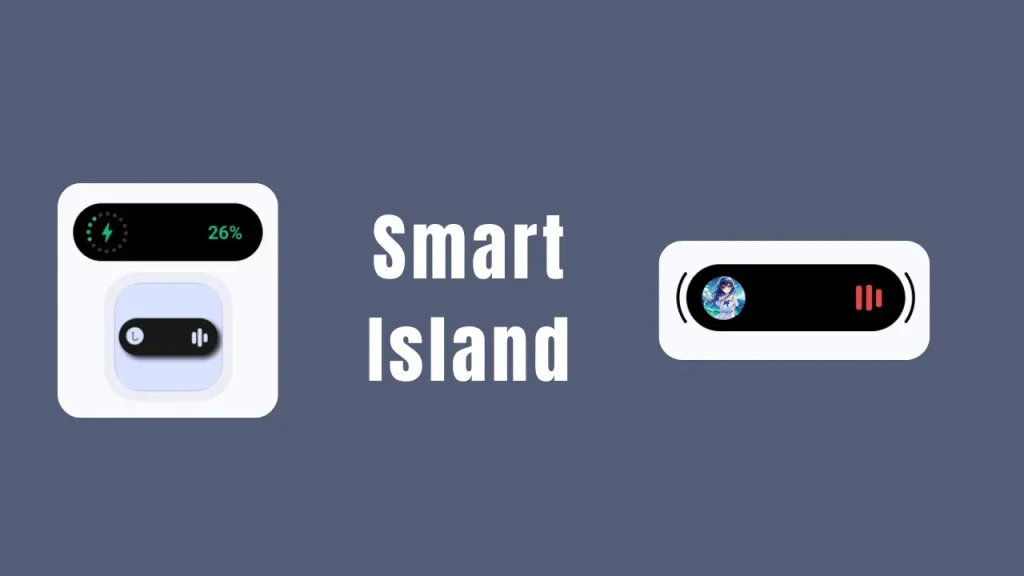
Table of Contents
What is Smart Island?
Smart Island is a modern, open-source Android application that brings the dynamic floating notification experience right to your smartphone screen. Created by developer Animesh Gupta, the project is hosted publicly on the SmartIsland GitHub Repository.
Built using native Android development tools including Kotlin, Jetpack Compose, and Material Design 3, Smart Island transforms everyday alerts into fluid visual animations. Instead of standard pop-up banners, notifications expand and morph around your device camera cutout or top screen area, providing quick access to active background tasks without interrupting your current application.
Features of Smart Island
Smart Island includes several practical tools designed to improve how you interact with your device throughout the day:
- Dynamic Notifications: Converts incoming messages, app alerts, and system warnings into smooth floating banners.
- Live Media Controls: Displays current track information, album artwork, and play/pause/skip controls whenever music or video playback is active.
- Incoming Call Alerts: Displays incoming call notifications and active call duration in an unobtrusive top bar layout.
- System Status Monitors: Displays charging status, battery percentage changes, and active timer or stopwatch counts in real time.
- Smooth Jetpack Compose Animations: Utilizes modern UI rendering engines to ensure animations run smoothly with low latency.
- Privacy Focused & Open Source: Free of hidden background trackers or invasive ads, with all source code publicly verifiable on GitHub.
Requirements
Before installing Smart Island, ensure your mobile device meets the following hardware and software prerequisites:
- Operating System: Android 8.0 (Oreo) or higher (Android 11 or newer recommended for optimal animation performance).
- Notification Permission: Required so the app can read active system alerts and media events.
- Accessibility Permission: Required to display the floating overlay on top of other running applications.
- Storage / Package Installer Access: Needed if you install the application using a standalone APK file.
Download
You can obtain the latest build of Smart Island directly from the project developer page. Always make sure to download from official sources to protect your device privacy.
- Download the latest release from the Official SmartIsland GitHub Releases Page.
Installation
Follow these easy steps to install Smart Island on your Android smartphone:
- Open your web browser and visit the SmartIsland GitHub Repository.
- Navigate to the Releases section on the right side of the repository page and download the latest .apk file.
- Once the download finishes, tap the file notification or locate it in your device File Manager.
- If prompted, enable Allow from this source in your system security settings to authorize installation from external sources.
- Tap Install and wait a few seconds for the package installation to finish.
- Tap Open to launch the app for the first time.
How to Use
Setting up Smart Island for daily use takes only a couple of minutes:
- Launch the App: Open Smart Island from your app drawer.
- Grant Notification Access: Follow the on-screen prompt to allow Smart Island to access notifications so it can display incoming messages and media status.
- Grant Accessibility Access: Enable the Accessibility Service setting for Smart Island. This permits the app to render the floating island top overlay across all screens.
- Adjust Alignment and Size: Use the in-app configuration sliders to position the island so it aligns perfectly with your device front camera punch-hole or notch.
- Test Live Activities: Start playing a song in your favorite media player or connect your phone charger to see the floating island animate in real time.
Credit
Smart Island is an open-source project developed and maintained by Animesh Gupta.
Troubleshoot
If you run into issues while using Smart Island, try these standard troubleshooting fixes:
- Island Does Not Appear: Confirm that both Accessibility and Notification Listener permissions are toggled ON in your device system settings.
- App Stops Working in Background: Android power management sometimes closes background services. Go to Settings > Battery > Battery Optimization, select Smart Island, and set it to Don’t Optimize or Unrestricted.
- Media Controls Not Syncing: Open your music application first, play a track, and check if notification access for Smart Island remains active.
- Misaligned Island: Re-open the Smart Island configuration menu and fine-tune the horizontal, vertical, and width offset values to fit your screen layout.
FAQs
Yes, Smart Island is entirely free to download and use. It is an open-source project created for the Android community.
No, the application is written in optimized Kotlin code using Jetpack Compose, which ensures background resource usage remains lightweight.
Yes, because the code is published transparently on GitHub, the community can inspect the source code to ensure there are no security or privacy risks.
Yes, the app includes built-in layout settings that let you adjust height, width, and position offsets according to your device screen shape.
Conclusion
Smart Island offers an excellent way to bring an interactive, clean dynamic island interface to your Android phone. With its open-source codebase, fluid animations, and lightweight performance, it stands out as a top choice for customizing your device notification system.
What are your thoughts on Smart Island? If you have any questions or setup issues, please leave a comment below!