Android customization has always been about making your device feel uniquely yours, ranging from custom launchers to personalized icon packs. However, changing core system user interface elements like the status bar has historically required heavy theme engines or complete custom ROM flashes. Enter Duo Status Bar, an innovative open-source LSPosed module designed to revamp your status bar by merging the battery, Wi-Fi, and mobile signal icons into a single, clean, animated indicator.
In this comprehensive guide,you will learn what Duo Status Bar is, its key features, hardware and software prerequisites, step-by-step installation instructions, configuration tips, and troubleshooting solutions.
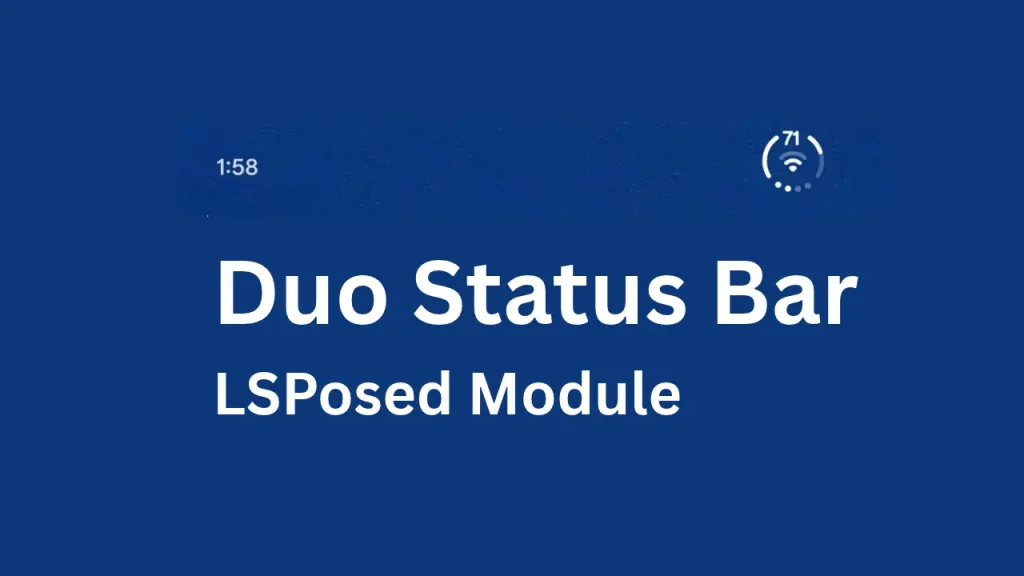
Table of Contents
What Is Duo Status Bar?
Duo Status Bar is a specialized, open-source LSPosed module created by developer kvmy666 that reimagines how status bar information is presented on rooted Android devices. Instead of functioning as a simple overlay layer that clogs up notification space, this module hooks directly into the Android System UI at runtime to replace the native battery, Wi-Fi, and cellular signal indicators with a unified ring-shaped indicator.
The primary purpose of the project is to offer a modern, minimalist status bar aesthetic inspired by popular contemporary design trends without permanently modifying core system binary files. It solves the visual clutter of traditional multi-icon status bars by consolidating essential connectivity and power statistics into one elegant interface. It is targeted specifically at Android enthusiasts, power users, and developers running rooted custom ROMs on supported modern Android versions.
Key Features of Duo Status Bar
- Unified Indicator Design: Replaces separate battery, Wi-Fi, and mobile signal icons with a single cohesive ring indicator, significantly reducing status bar clutter.
- Rive-Powered Animations: Utilizes the Rive vector graphics engine for smooth, responsive animations and movement on the indicator element.
- System-Safe Hooking: Operates entirely through LSPosed runtime hooks rather than modifying partition files, ensuring a safe modification that can be disabled instantly.
- Broad Custom ROM Support: Supports major custom user interfaces and ROMs including OnePlus OxygenOS, Xiaomi HyperOS, OPPO/realme ColorOS, Samsung One UI, vivo OriginOS, Honor MagicOS, Motorola MyOS, and Nothing OS.
- Flexible Layout Variants: Offers multiple layout choices such as Default, Two SIM configurations, and invert-center options to match individual preference.
- PHDP (Punch Hole Download Progress) Integration: Integrates seamlessly with PHDP to display active download progress directly on the Duo status ring.
Requirements and Prerequisites
Before attempting to install and run Duo Status Bar, ensure your device meets the following technical requirements:
- Operating System: Android 13 or newer.
- Root Access: A rooted Android device running a custom ROM with a working root solution (such as Magisk, KernelSU, or APatch).
- Xposed Framework: LSPosed installed and fully operational via Zygisk.
- System UI Scope: Access to the LSPosed manager application to configure module scopes.
How to Download Duo Status Bar
The official and safest place to download Duo Status Bar is through its official repository and release pages:
- Navigate to the official GitHub repository at GitHub – kvmy666/duoStatusBar.
- Go to the Releases section to find the latest stable version (such as version 2.0.0 or newer).
- Download the compiled APK file directly from the asset list (e.g., DuoStatusBar-2.0.0.apk). Avoid downloading APKs from untrusted third-party aggregator sites to maintain security.
How to Install Duo Status Bar
Installing Duo Status Bar requires following a precise sequence to ensure the LSPosed framework successfully hooks into the System UI:
- Install the APK: Transfer the downloaded APK file to your Android device, tap on it, and complete the package installation.
- Open LSPosed: Launch your LSPosed manager application from your app drawer.
- Enable the Module: Navigate to the Modules tab, locate Duo Status Bar, and tap on it to configure.
- Configure Scope: Turn on the module toggle and ensure that System UI is explicitly checked within the module scope settings.
- Restart System UI: To apply the runtime hooks, restart your device’s System UI using a quick tile, an advanced reboot menu, or by performing a full system reboot.
- Activate in App: Open the newly installed Duo Status Bar app from your launcher and flip the main application switch to the on position. Note that the module remains completely inactive until enabled inside the companion app.
How to Use Duo Status Bar
Once installed and activated, you can tailor Duo Status Bar to fit your aesthetic preferences:
- Choosing Layout Styles: Open the Duo Status Bar app and explore the layout options. You can select between the standard layout or the Two SIM layout, and apply the invert-center modifier if desired.
- Adjusting Scale and Size: If you modify the indicator size, use the built-in restart button within the app to restart System UI so the new dimensions render correctly across your lock screen, home screen, and notification shade.
- Integrating Download Progress: If you want live download tracking, install the compatible PHDP utility, open PHDP settings, navigate to System > Integrations, and select Duo. Any active file download will now project its progress directly onto your status ring.
Credits and Acknowledgements
Duo Status Bar is developed and maintained by open-source developer kvmy666, with valuable contributions from community members like tthornton3-chwy. The project relies heavily on the open-source community, Xposed framework standards, and the LSPosed ecosystem. Special recognition goes to open-source contributors and testers who help refine custom ROM compatibility.
Troubleshooting: Common Problems and Solutions
- Module Appears Inactive or Blank: If the status bar indicator does not show up, verify that the module is enabled in LSPosed, that System UI is checked in the scope, and that you have flipped the master switch inside the Duo Status Bar app.
- Icon Flicker or Black/White Artifacts: On certain custom ROM implementations, status bar icon colors might clash. Ensure you are running the latest stable release where ROM profile drawing fixes have been implemented.
- Submitting Diagnostic Reports: If you encounter unexpected crashes or layout misalignment, open the Duo Status Bar app, navigate to the About section, and use the built-in report exporter.
FAQs
No. It operates entirely at runtime using LSPosed hooks to hide native icons and draw the new indicator, meaning it is systemless and safe.
The module requires Android 13 or newer.
Yes, a rooted environment with Magisk, KernelSU, or APatch along with LSPosed installed is mandatory.
While designed primarily for custom ROMs with customizable System UIs, compatibility varies; check the supported UI list for your specific device interface.
Simply disable the module inside LSPosed or turn off the master switch in the Duo Status Bar app, then restart System UI.
The performance impact is minimal, as it utilizes optimized Rive vector animations and canvas drawing handlers.
Conclusion
Duo Status Bar provides an elegant, minimalist way to modernize your Android interface by consolidating essential status indicators into a sleek, animated ring. By leveraging LSPosed hooks safely without touching system partitions, it gives power users incredible customization freedom.
If you love tweaking your device’s UI, head over to the official GitHub repository, review the documentation, and transform your status bar today. Have questions, suggestions, or unique ROM experiences to share? Leave a comment below.