Welcome to this comprehensive guide on Kalidroid. If you have ever wanted to carry a complete penetration testing and Linux toolkit right inside your pocket without needing a laptop, this blog post is for you.
In this article, you will learn what Kalidroid is, its core features, hardware requirements, how to safely download and install the application, how to use it for daily tasks, credits behind the project, common troubleshooting fixes, and answers to frequently asked questions. Everything is explained in simple terms to help you get started quickly.
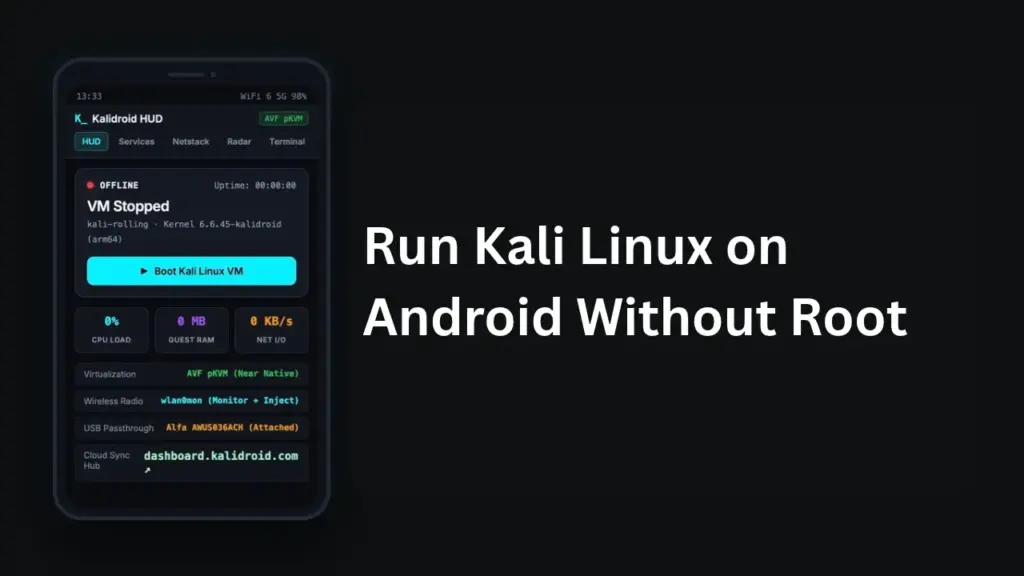
Table of Contents
What is Kalidroid?
Kalidroid is an application and virtual environment that allows users to run a full, persistent Kali Linux operating system directly on stock Android devices. Unlike traditional methods like PRoot or Termux that only give you a command line shell, Kalidroid uses advanced virtualization features such as Android’s Virtualization Framework and QEMU. This means you get a genuine Linux guest kernel, full terminal capabilities, and a desktop workspace without needing to unlock your device bootloader or gain root access.
Features of Kalidroid
Kalidroid comes packed with advanced tools and features built specifically for field operators and security enthusiasts:
- Rootless Operation: Runs smoothly on stock Android versions without requiring root permissions or system modifications.
- Virtualization Engine: Leverages QEMU and modern hypervisor technology to provide near-native performance inside a virtual machine.
- Monitor Mode and Packet Injection: Supports direct wireless frame transmission and monitor mode using compatible external USB adapters.
- USB Passthrough: Allows you to connect external hardware like Wi-Fi adapters, GPS receivers, and storage devices directly to the Linux guest.
- Persistent Storage: Keeps your downloaded scripts, tools, and personal files saved securely across sessions.
- Full X11 Desktop: Provides a graphical desktop environment with XFCE alongside standard command-line tools and background services managed by OpenRC.
Requirement
Before you begin downloading and setting up Kalidroid on your device, make sure you meet the following hardware and software requirements:
- Operating System: Stock Android 8.0 or higher with support for required virtualization frameworks.
- Architecture: 64-bit arm64-v8a processor architecture.
- Storage Space: Sufficient free internal storage to accommodate the application package, guest system image, and your working files.
- Hardware Accessories: An external USB Wi-Fi adapter or GPS receiver if you plan to use advanced wireless or wardriving features.
- Technical Prerequisites: Familiarity with basic Linux commands and terminal usage.
Download
To download Kalidroid, you should always obtain files directly from official developer sources or trusted release channels to ensure security and file integrity. The platform offers a lightweight installer package, a full application debug build, and a Linux image archive. Always check the provided file sizes and verify the SHA-256 checksums before proceeding with any manual setup. Never install packages or application files from unverified third-party websites or mirror links.
Install
Installing Kalidroid on your Android device involves a few straightforward steps:
- Download the official installation package or full APK build from the verified source.
- Open your device file manager and locate the downloaded file.
- Tap on the file to initiate the package installer. If your device prompts you to allow installations from unknown sources, review the security warning and enable permission only if you completely trust the file.
- Follow the on-screen instructions to complete the installation process.
- Launch the application and complete the initial setup configurations, including allocating your preferred storage and virtual resources.
How to Use
Once the installation is complete, you can start using Kalidroid for your learning and security research tasks:
- Boot the virtual machine through the application dashboard to start your Kali Linux session.
- Access the terminal interface to run standard commands, update packages using package managers, or launch security tools like Nmap and Wireshark.
- Use local loopback connections or VNC clients if you want to interact with the graphical desktop environment.
- Manage background services such as SSH servers and web servers using the OpenRC init daemon manager.
Troubleshoot
If you run into issues while setting up or running Kalidroid, try these common troubleshooting steps:
- Verification Failures: If a downloaded file fails its SHA-256 checksum verification, delete it immediately and download a fresh copy from the official site.
- Performance Lags: If the virtual machine runs slowly, reduce the assigned CPU cores and RAM allocation to ensure your main Android operating system has enough resources.
- USB Device Detection Issues: Ensure your external adapter or GPS puck is fully compatible and connected properly via a working OTG cable.
- Boot Errors: Double-check that your device runs a supported Android version and meets all hardware virtualization prerequisites.
FAQs
No, Kalidroid operates on stock Android without requiring root permissions or unlocking your bootloader.
Yes, but advanced features like monitor mode and packet injection require specific compatible chipsets and external USB adapters.
Yes, the platform supports persistent storage allocation so your files and scripts remain intact after restarting.
Yes, you can access a full XFCE desktop environment using a local client connection.
Conclusion
Kalidroid provides a powerful way to bring a full, persistent Kali Linux environment directly to your mobile device without modifying your phone’s system partition. By following this guide, you should now understand its core features, requirements, installation process, and troubleshooting tips. If you have any questions or want to share your experience with setting up the platform, please leave a comment below.