If you own a Samsung phone and want a simple way to update or repair it, samloader is a powerful Rust‑based tool that makes the process fast and straightforward. This guide explains what it does, how to install it, and how to safely use it on Windows.
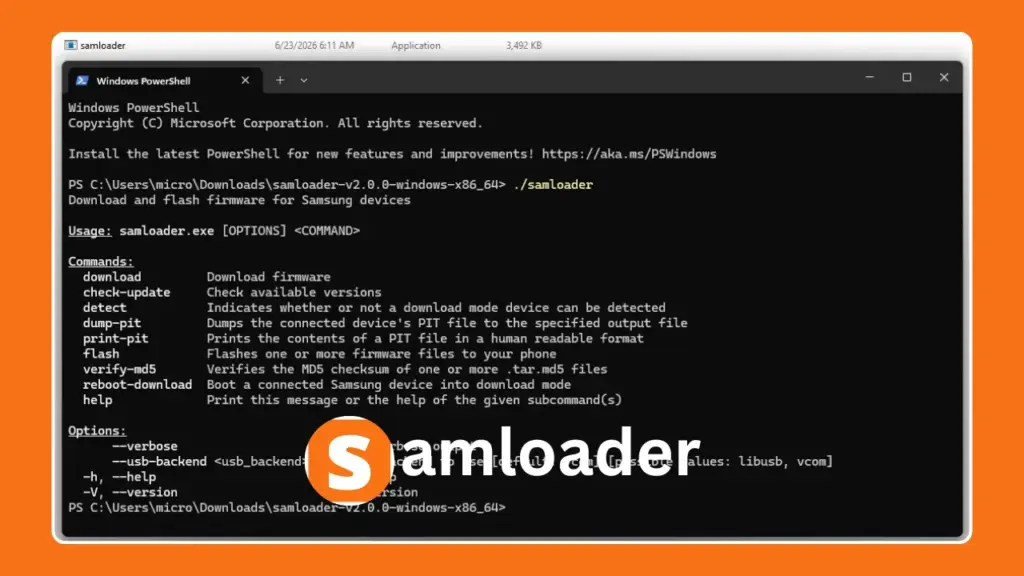
Table of Contents
What is Samloader?
Samloader is an all‑in‑one tool that helps you manage Samsung firmware. In plain language, it can:
- Download firmware directly from Samsung servers at full speed using multiple connections.
- Decrypt files automatically while downloading, so you don’t need extra steps.
- Flash firmware (AP, BL, CP, CSC) directly to your phone in Download Mode.
This means you can update or repair your Samsung device with just three steps: check‑update → download → flash.
Step‑by‑Step Setup (Windows PowerShell)
1. Get the Binary
- Download the latest Windows release from the official website samloader.
- Use the prebuilt .exe file – no need to compile.
2. Open PowerShell
cd C:\path\to\samloader-folder
.\samloader.exe --help3. Check Available Firmware
.\samloader.exe check-update --model SM-A705MN --region XSP4. Download & Decrypt
.\samloader.exe download --model SM-A705MN --region XSP --verbose⚠️ Model and region codes are case‑sensitive.
5. Verify MD5 (Optional)
.\samloader.exe verify-md5 path\to\firmware.tar.md56. Detect Phone in Download Mode
.\samloader.exe detect
7. Flash Firmware
.\samloader.exe flash path\to\firmware.tar.md5 --usb-backend libusb- If detection fails, try –usb-backend vcom.
Key Options & Tips
--verbose– shows detailed logs.--usb-backend– switch between libusb and vcom if detection fails.- Downloads are resumable and multi‑threaded – use a stable connection.
- If you see a Rust panic, retry with exact model/region.
Safety & Troubleshooting
- Backup your data before flashing – it may erase everything.
- Always use the exact firmware for your model/region to avoid bricking.
- If downloads fail, retry later or switch CSC region.
- If flashing fails, inspect PIT files with dump-pit or print-pit.
Final Thoughts
Samloader makes Samsung firmware management much easier by combining download, decryption, and flashing into one tool. With its built‑in resume and parallel downloads, it’s faster and more reliable than older methods.