Finding a clean, fast, and modern music player for Android can be surprisingly tough. Many popular player apps are packed with invasive advertisements, subscription pop-ups, and background tracking scripts that collect your personal listening habits. If you just want to play your high-quality local audio files in peace while enjoying a sleek interface, PixelPlayer is designed specifically for you.
In this blog post, we are going to break down everything you need to know about PixelPlayer. You will learn what PixelPlayer is, explore its standout features, check its system requirements, and follow step-by-step instructions on how to download, install, and use it. We will also cover common troubleshooting fixes, answer frequently asked questions, highlight the project credits, and help you decide if this app belongs on your phone.
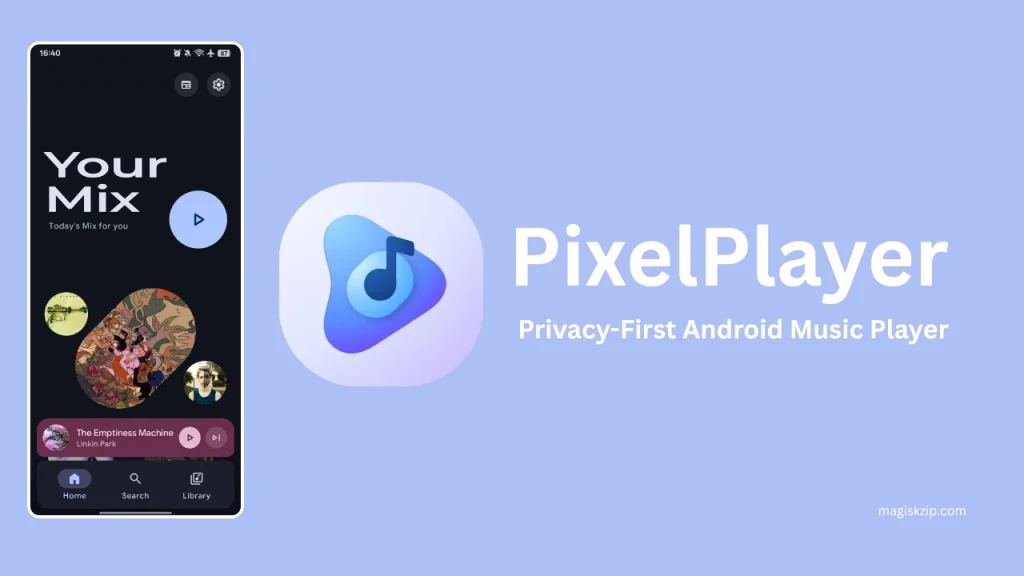
Table of Contents
What is PixelPlayer?
PixelPlayer is a modern, privacy-focused offline music player application built specifically for Android devices. Unlike standard media players that attempt to lock features behind paywalls or sell user data, PixelPlayer puts privacy and user control at the very center of the experience.
It is built from the ground up using Android’s latest software technology, including Kotlin, Jetpack Compose, and Material Design 3. Underneath its stylish interface lies a powerful audio processing system that relies on ExoPlayer and FFmpeg decoders. This combination allows PixelPlayer to handle nearly any audio file format effortlessly while keeping your device running smoothly and efficiently.
Features of PixelPlayer
PixelPlayer comes packed with tools designed for casual listeners and audio enthusiasts alike:
- Material You Dynamic Theming: The app automatically extracts dominant colors from your current wallpaper or album artwork, creating a fluid UI that matches your personal aesthetic.
- Customizable Interface: Easily adjust light and dark modes, navigation bar layouts, and corner radiuses to tailor the look to your liking.
- Advanced Playback Engine: Supported by Media3 ExoPlayer and FFmpeg, PixelPlayer provides gapless audio playback, configurable crossfade transitions, custom equalizer settings, and seamless background playing.
- Wide Audio Format Support: Plays almost every popular local file type, including MP3, FLAC, AAC, OGG, WAV, and M4A formats.
- Smart Synchronized Lyrics: Automatically fetches synced lyrics in LRC format through the LRCLIB service, complete with a built-in lyrics editor for manual tweaks and scrolling display support.
- AI Playlist Generation: Create personalized playlists using integrated artificial intelligence engines like Gemini, OpenAI, or DeepSeek.
- Full Library Organization: Browse your music by songs, albums, artists, genres, or direct storage folders, complete with smart multi-artist parsing.
- Tag Editing: Edit embedded track metadata directly inside the app using integrated TagLib support.
- Device Casting & Widgets: Stream your audio to smart TVs and home speakers via Chromecast, or control playback directly from your home screen using customizable widgets.
System Requirements
To get the best performance out of PixelPlayer, your Android device should meet the following specifications:
- Operating System: Android 11 (API Level 30) or higher.
- Recommended Memory (RAM): 6GB RAM is recommended for ultra-smooth animations and large library scanning (minimum 4GB).
- Storage Space: Enough free internal memory or SD card space to hold your local music library.
- Development Requirements (Optional): If you plan to build the app from source code, you will need Android Studio Ladybug (2024.2.1 or newer), Java Development Kit (JDK) 11+, and Android SDK 29+.
Download
Getting PixelPlayer onto your device is straightforward. Because it is an open-source project, you have a couple of easy choices:
- Pre-Compiled APK Download: You can grab the latest pre-compiled Android Package (APK) file directly from the releases page of the official project repository.
- Obtainium App Manager: If you use Obtainium on your Android phone to track open-source software, you can add the PixelPlayer repository path to receive automated updates whenever a new version drops.
- Open-Source Variants: An open-source edition known as PixelPlayerOSS is also maintained for users who prefer downloading apps strictly through community platforms like F-Droid.
Install
Depending on your preference, you can install PixelPlayer by sideloading the APK file on your mobile device or compiling the source code yourself.
Method 1: Installing the APK on Android
- Download the latest APK file to your phone’s storage.
- Open your device’s File Manager app and locate the downloaded file.
- Tap on the APK file. If prompted, grant your browser or file manager permission to install apps from unknown sources.
- Tap Install and wait a few seconds for the process to complete.
- Launch PixelPlayer from your app drawer.
Method 2: Building from Source (For Developers)
- Clone the repository code to your computer using Git.
- Open Android Studio and select Open an Existing Project.
- Choose the directory where you cloned the repository.
- Allow Gradle to sync all dependencies automatically.
- Connect your Android phone via USB debugging (or boot up an emulator) and click the Run button.
How to Use
Setting up and using PixelPlayer takes only a few simple steps:
- Grant Media Permissions: When opening PixelPlayer for the first time, allow the application access to read your device’s audio and storage files.
- Scan Your Music Library: The app will automatically detect local audio files. You can enter settings to select specific folders to include or exclude from the scan.
- Customize Your Look: Tap on settings to customize the dynamic theme, switch between dark and light modes, or adjust button styles.
- Play and Sync Lyrics: Select any song to start playback. Tap the player sheet to view synchronized lyrics. If lyrics do not show up automatically, use the online search button or add your own LRC text using the built-in editor.
- Create AI Playlists: If you want automated playlist creation, enter your preferred API key in settings, type a prompt like “upbeat workout tracks,” and let the app organize matching songs for you.
- Cast Your Audio: When connected to the same Wi-Fi network as a smart display or speaker, tap the Cast icon on the player screen to transfer your audio output.
Troubleshooting
If you run into any hurdles while using PixelPlayer, try these standard solutions:
- Songs are Missing from the Library: Ensure you have granted full storage/audio permissions. Double-check your folder filter settings to make sure your music folders are not blocked.
- Synced Lyrics are Not Loading: Check your internet connection, as online lyric lookup requires access to the LRCLIB service. If a song is rare or obscure, lyrics may not exist yet, but you can manually enter them using the tag editor.
- Audio Stutters or Sudden App Closing: Disable battery optimization for PixelPlayer in your Android system settings. This prevents the operating system from killing the background media playback service.
- Album Art Not Showing: Go into settings and clear the app cache, then trigger a manual library refresh to re-extract cover images.
FAQs
Yes, PixelPlayer is open-source and entirely free. There are no hidden subscription paywalls or annoying advertisements.
No. The core philosophy of PixelPlayer is privacy-first. Your playback history and local music files remain on your phone.
No. PixelPlayer is designed as an offline music player for audio files stored locally on your phone or micro SD card.
PixelPlayer supports a wide range of formats, including MP3, FLAC, AAC, WAV, OGG, and M4A.
No, basic music playback works completely offline. Internet access is only required for optional features like fetching synced lyrics, pulling artist pictures, using AI playlist generators, or casting to TV screens.
Credits
PixelPlayer is made possible thanks to the hard work of lead developer Theo Vilardo and the broader open-source community. Special appreciation goes to the contributors who submit bug fixes, optimize code, and maintain project builds.
The app also relies on several incredible open-source projects and libraries:
- Media3 ExoPlayer and FFmpeg for audio decoding and seamless playback.
- Jetpack Compose and Material 3 Expressive for the modern visual interface.
- TagLib for fast and accurate metadata tag reading.
- LRCLIB API for providing synchronized lyrics.
- Deezer API for supplying high-quality artist artwork.
Conclusion
PixelPlayer is an outstanding choice for anyone seeking a modern, fast, and privacy-focused Android music player. With features like dynamic Material You theming, gapless playback, synchronized lyrics, TagLib metadata editing, and zero invasive tracking, it stands out as a top-tier media player for your local music collection.
What are your thoughts on PixelPlayer? Have you given it a try on your phone, or do you have any questions about setting it up? Leave a comment below and share your experience!